Bar Stocktake: Voice Bar Inventory
Count your bar shelf by shelf, by voice or by touch, and share a clean CSV when you're done.
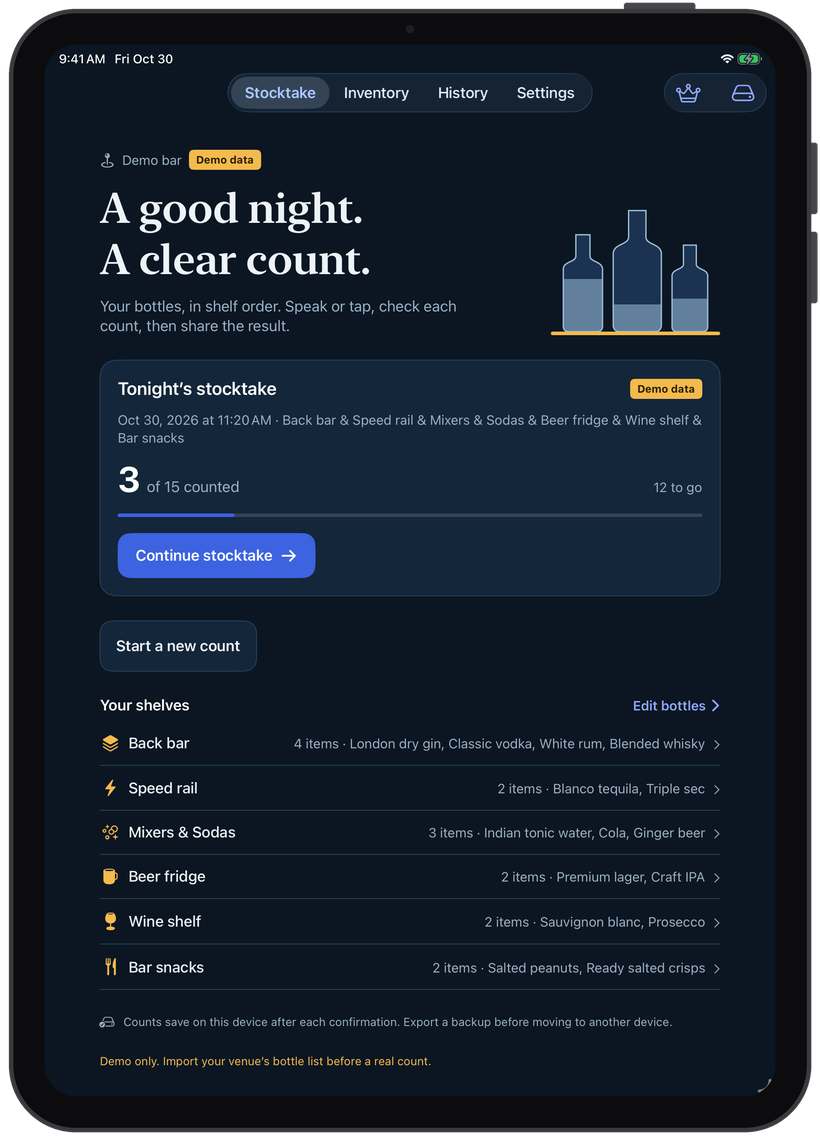
Count in Shelf Order
Bottles come up in the order they sit on the back bar, speed rail and fridges, so you walk the bar once and never hunt through a list.
Speak, Check, Confirm
Say "two full, point six open" and the count fills in. Nothing is saved until you check the number and confirm it.
Private by Design
Voice recognition runs on your iPhone or iPad. No account, no cloud, no analytics: your counts stay on your device.
From closing time to a finished count.
Set up your bottle list once. After that, every stocktake follows your shelves.
Add Your Bottles
Import a CSV, scan barcodes, or add bottles one at a time with a photo of each label.
Walk the Shelves
Start a count and go shelf by shelf: spirits, mixers, beer fridge, wine and snacks.
Speak Each Count
Say the full and open bottles, check the number and confirm. Your count saves after each bottle.
Share the CSV
Send the finished stocktake to your manager or spreadsheet, and compare it with the last count.
Voice counting for full and open bottles
Say whole bottles and open-bottle levels in one go, like "three", "two and a half" or "two full, point six open". Prefer to tap? Plus and minus buttons and a number pad work just as well.
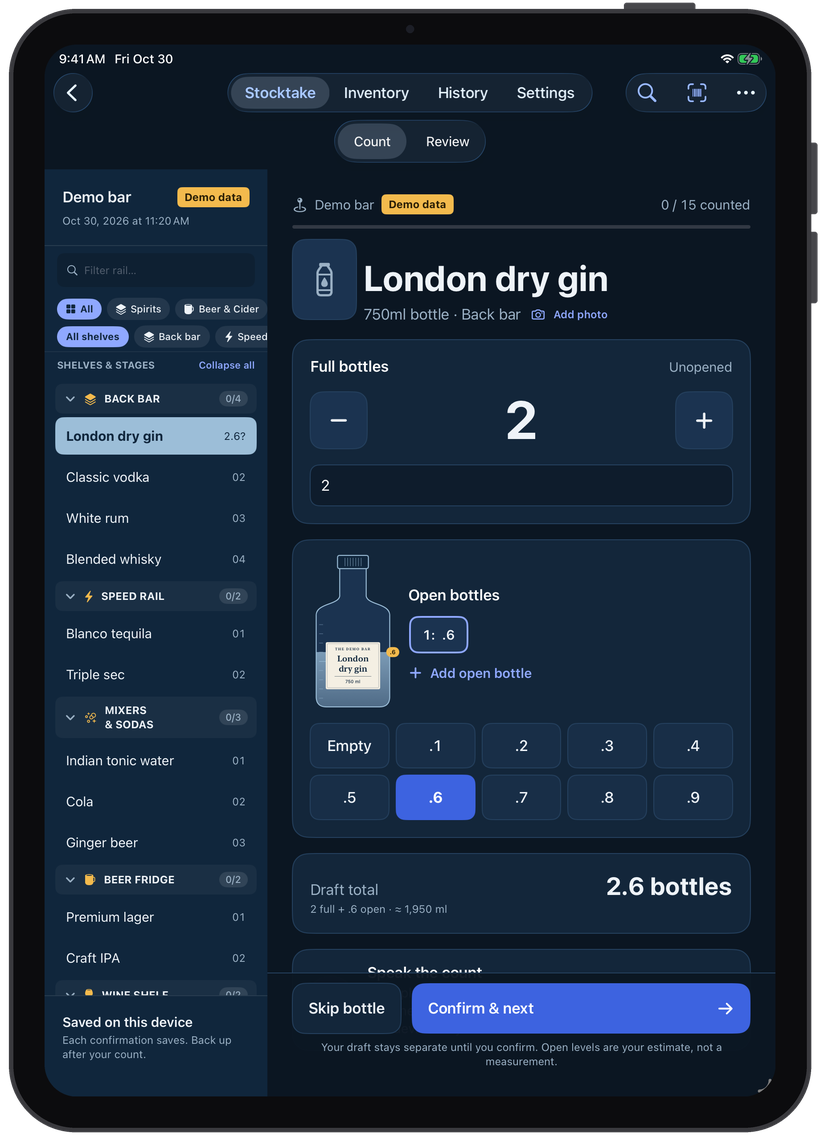
Review before you share
See every bottle in shelf order with its count, and tap any one to correct it. Then share the stocktake as a CSV. Bottles you didn't count stay blank, never zero, so a missed shelf can't quietly turn into a stock loss.
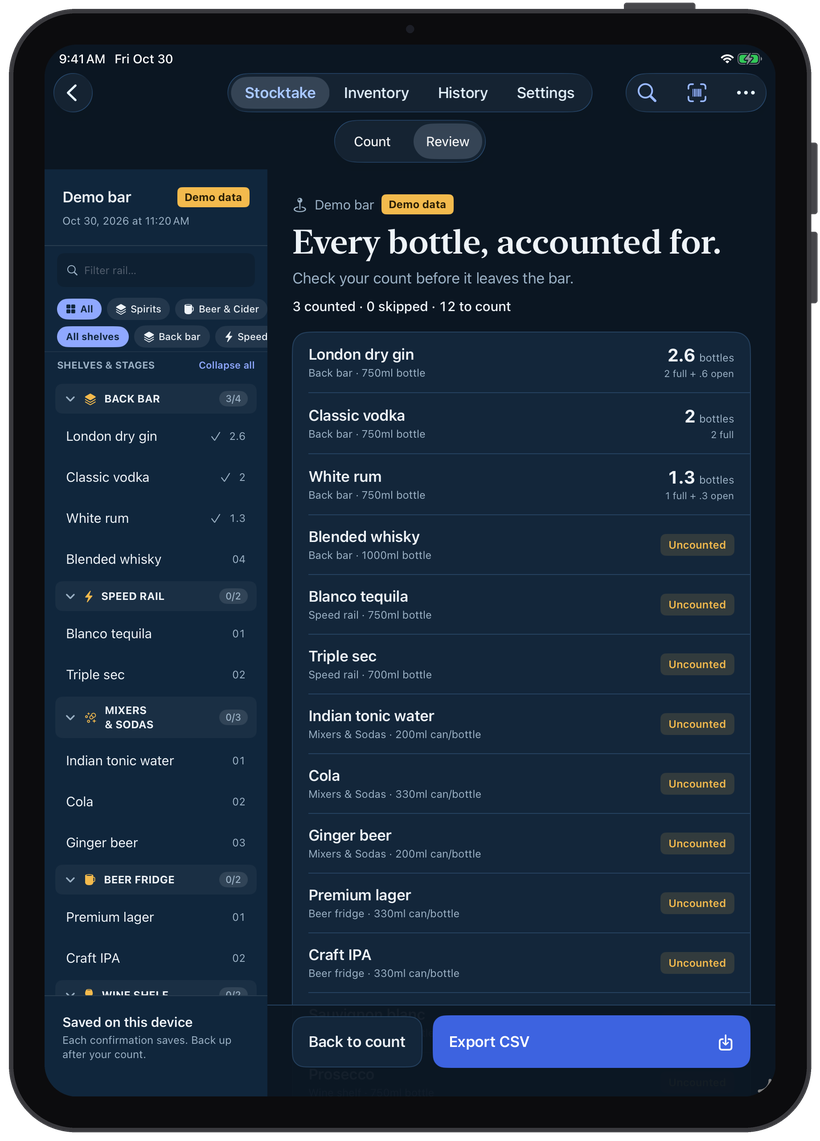
Your bar, shelf by shelf
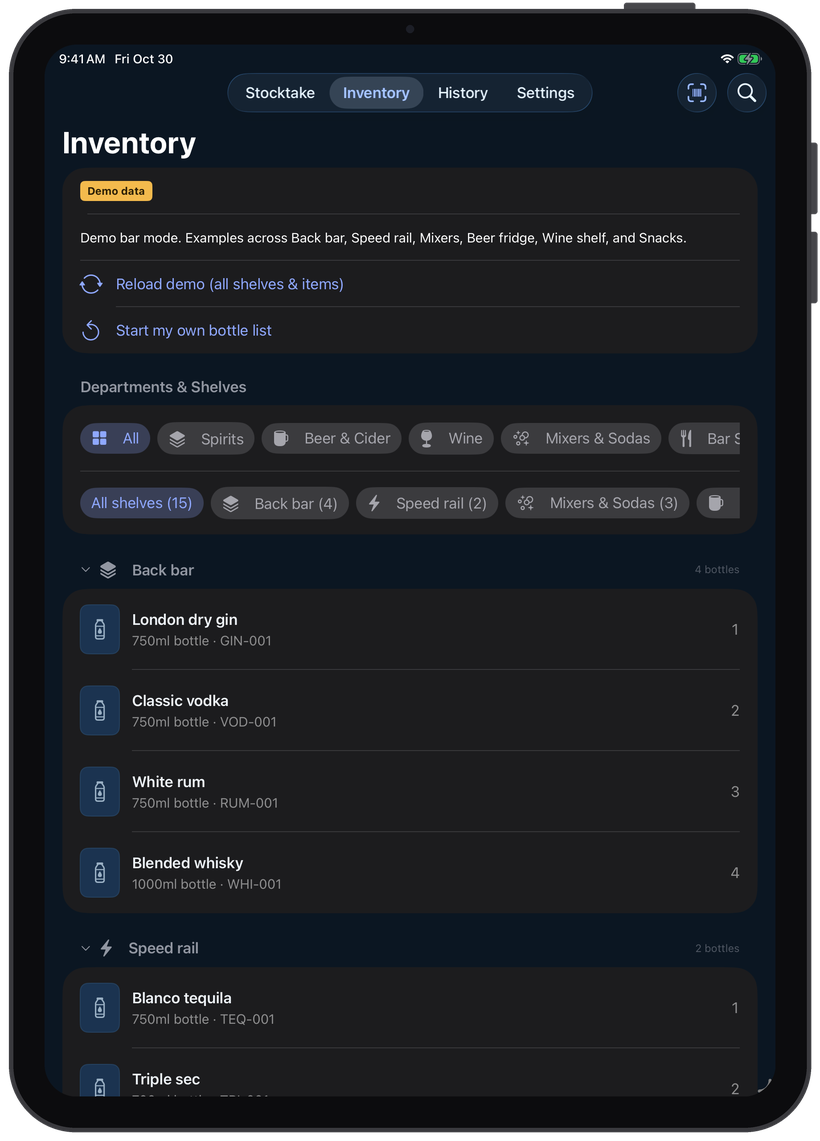
Group bottles into spirits, beer, wine, mixers and snacks, and order them the way they sit on the back bar, speed rail and fridges. Add a bottle by scanning its barcode or taking a photo of the label.
Why a dedicated tool matters.
Comparing scattered camera rolls and fading paper against an immutable audit record.
Without Bar Stocktake
- A clipboard, a pen and a spreadsheet to type it all into later
- Losing your place halfway down the speed rail
- Guessed open-bottle levels that nobody writes down
- Missed bottles that turn up as zero stock
With Bar Stocktake
- Count by voice with your hands free for the bottles
- Bottles in shelf order, with your place saved after each one
- Open-bottle levels recorded with every count
- Uncounted bottles stay blank in the export, never zero
- No account, and counts stay on your device
Simple, honest pricing.
No monthly subscriptions or predatory locking. Start free on the App Store, and unlock lifetime power features with a single one-time upgrade.
Free
Try it on the demo bar, then count your own.
- Full demo bar to practise on
- Your first stocktake, counted by voice or touch
- Bottle list import, barcode scanning and label photos
- Back up and restore your data
Bar Stocktake Pro
For bars that count every week.
- Unlimited stocktakes
- Export every count as a CSV
- Keep your full count history
Built for privacy & resilience.
How Audio Immersia structures data, offline performance, and security under the hood.
iPhone and iPad, iOS 17.0 or later
English (US), using Apple's on-device speech recognition
Bottle lists in by CSV; finished stocktakes out as CSV
Spirits, beer, wine, mixers and snacks, each with its own shelves
Stored on your device only; back up to Files whenever you like
No account, no trackers, no analytics SDKs, no data collection
 A NOTE FROM THE STUDIO
 Built for the end of a long shift
Stocktakes happen after close, when everyone is tired and the clipboard is sticky. Bar Stocktake lets you keep your eyes on the shelf and your hands on the bottles, and tells you exactly what's still left to count.
Product & privacy details.
Who is Bar Stocktake for?
Bar managers, bartenders and pub owners who count stock weekly or monthly, from a small cocktail bar to a busy pub with fridges and a wine shelf.
How does voice counting work?
Tap Speak the count and say the quantity, for example "two full, point six open". Bar Stocktake fills in the count for you to check and confirm. Recognition runs on your device, and audio is never saved.
Do I need an account or internet?
No account is needed, and counting works offline. Internet is used only to look up a scanned barcode that isn't in your list yet.
Can I import my existing bottle list?
Yes. Import a CSV with item IDs, names, bottle sizes and shelves, or add bottles one at a time by scanning the barcode or taking a photo of the label.
How much does Bar Stocktake cost?
The demo bar and your first stocktake are free. Bar Stocktake Pro adds unlimited stocktakes and CSV export for $79.99 a year or $9.99 a month, with a 2-week free trial.
Who makes Bar Stocktake?
Bar Stocktake is designed, built and maintained by Audio Immersia LLP.
Download Bar Stocktake: Voice Bar Inventory today.
Engineered for reliability, privacy, and frictionless daily utility.